
Tsis muaj dab tsi pob ntseg (1) earphones Taw qhia
Tsis muaj dab tsi yog cov neeg siv khoom siv thev naus laus zis tshiab tsim los ntawm yav dhau los OnePlus co-founder Carl Pei, ua raws li kev txhim kho lub tswv yim ntawm "hloov cov xwm txheej ntawm cov khoom siv thev naus laus zis", Tsis muaj dab tsi yuav tso nws thawj TWS headset "Tsis muaj dab tsi pob ntseg (1)" hauv 2021, Nrog nws cov qauv tsim, lub pob ntseg sawv tawm ntawm cov neeg coob coob ntawm AirPods-based khoom.
Raws li qhov zoo nkauj thiab nplua nuj cyberpunk zoo li, Tsis muaj dab tsi pob ntseg (1) pob ntseg yog tsim los nrog lub suab nrov loj, nrog rau 11.6 hli loj txav coil chav nyob hauv lub pob ntseg thiab cov cuab yeej tuning ntawm Teenage Engineering, tsuas yog saib cov ntaub ntawv ntawm lub ntawv, Tsis muaj dab tsi pob ntseg (1) Nws muaj kev ua tau zoo acoustic.
Hauv kev siv txhua hnub, lub mloog pob ntseg txhawb nqa APP rau kev hloov kho kom ua tiav qhov kev paub ntawm tus kheej thiab muab ob hom kev mloog xws li txo suab nrov / pob tshab. Rau kev ua suab nrov cua, lub mloog pob ntseg muaj 3 built-in microphones thiab siv nrog Clear Voice technology. Lub mloog pob ntseg tuaj yeem lav tus neeg siv kev hu xov tooj zoo nyob rau hauv ib puag ncig cua ceev ntawm 40 km / h.
Raws li Tsis muaj dab tsi yog thawj TWS pob ntseg thiab cov khoom lag luam nkaus xwb tam sim no, Tsis muaj dab tsi pob ntseg (1) tau tsim tshwj xeeb dub version xyoo no.
Tsis muaj dab tsi pob ntseg (1) True Wireless Bluetooth Headphones

Tsis muaj dab tsi pob ntseg (1) Lub ntim sab nrauv ntawm lub wireless Bluetooth headset yog qhov tseem ceeb thiab tag nrho ntawm cov cuab yeej technology. Nws tuaj yeem hais tias nws tau muab kev kawm tsim qauv rau ntau lub pob ntseg pob ntseg.
Pem hauv ntej ntawm lub thawv zoo li lub npe tsis muaj dab tsi. Tsis muaj dab tsi ntxiv dua li qhov pom ntawm lub mloog pob ntseg. Qhov kev tsim no zoo li qhia cov neeg siv tias peb yuav tsum nyiam txhua tus neeg nyiam nrog peb tus qauv tsim. Cov txheej txheem teeb pom kev zoo tso cai rau lub teeb pom kev los ntawm lub plhaub pob tshab ntawm lub pob ntseg los coj tus neeg siv kom xyuam xim rau lub mloog pob ntseg nyob rau sab xis sab xis ntawm lub vijtsam. Lub sijhawm no, peb yuav xyuam xim rau cov ntawv nyeem nkaus xwb ntawm lub pob hauv ntej - luam tawm hauv lub mloog pob ntseg nrog dot matrix ntawv. "Tsis muaj pob ntseg".
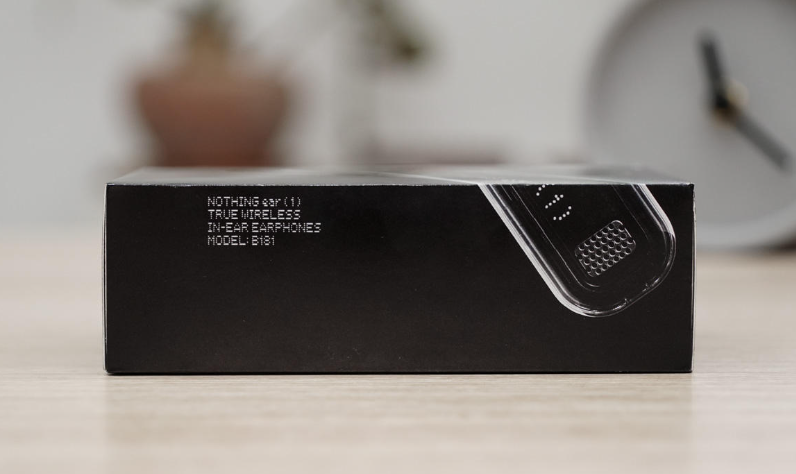
Ua raws li cov lus qhia ntawm lub mloog pob ntseg, muab lub thawv thiab tig mus rau sab, koj tuaj yeem pom cov ntaub ntawv khoom, lub npe khoom: Tsis muaj dab tsi pob ntseg (1) Tseeb wireless hauv pob ntseg headphones, qauv: B181.
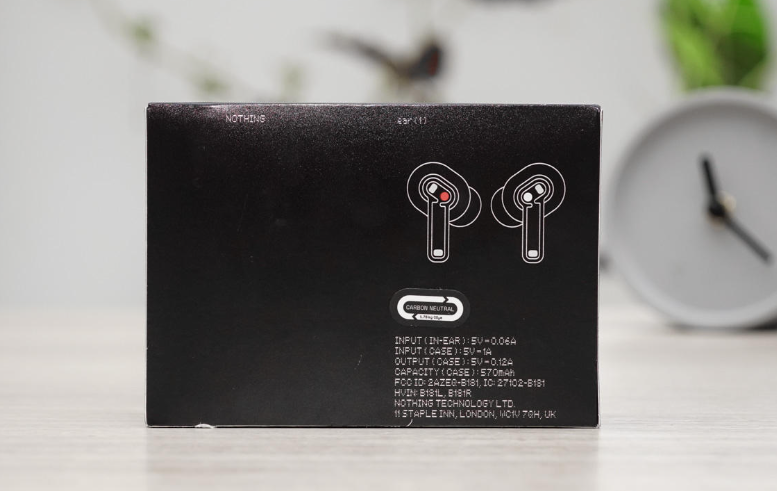
Hauv qab ntawm lub thawv, koj tuaj yeem pom cov kab kos ntawm pob ntseg sab laug thiab sab xis, thiab hauv qab yog cov ntaub ntawv roj teeb lub neej ntawm lub thawv them nyiaj thiab lub mloog pob ntseg. Lub mloog pob ntseg input tam sim no: 5V⎓0.

Nyob rau sab ntawm lub thawv muaj ntau yam ntawv pov thawj thiab barcodes ntawm cov khoom.

Lub ntim sab nrauv ntawm lub pob ntseg yog ib txheej ntawm cov ntawv qhwv. Tom qab tshem tawm cov ntawv qhwv, nws yog ib qho nyiaj sab hauv ntim. Thaum koj qhib lub hau sab saud ntawm lub ntim sab hauv, koj tuaj yeem pom qhov tsis muaj dab tsi pob ntseg (1) lub mloog pob ntseg thiab lub cev tseem ceeb ntawm lub thawv them nyiaj.
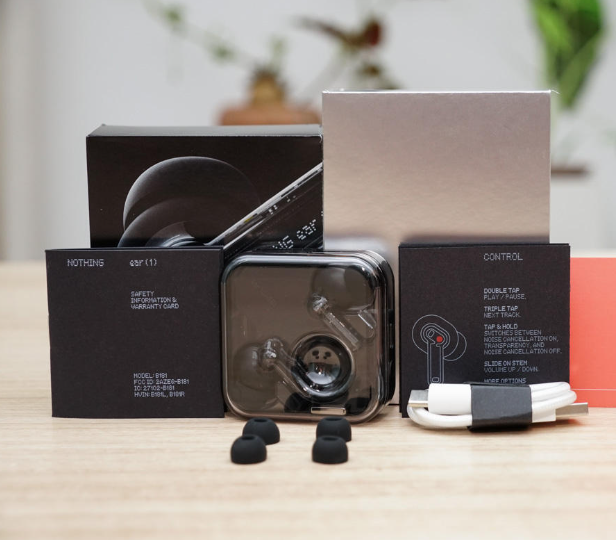
Tshem tawm tag nrho cov khoom nyob rau hauv lub thawv, daim ntawv teev cov khoom ntim: lub mloog pob ntseg * 1, cov ntaub ntawv them nyiaj * 1, Hom-C them cable * 1, S / M / L loj pob ntseg * 3 khub, phau ntawv qhia * 1, kev nyab xeeb coj* 1.

Tag nrho cov duab ntawm lub thawv them nyiaj yog nyob ntawm saib. Qhov sib npaug square lub thawv tsim ntawm lub thawv them nyiaj txais tib lub qauv tsim raws li lub mloog pob ntseg. Lub teeb dub sab saum toj npog muaj lub voj voog concave rau ntiv tes tuav. Muaj ob lub voj voog sib txuas rau txoj haujlwm ntawm lub mloog pob ntseg. Lub bulge coj lub zog peb-dimensional cuam tshuam rau lub thawv them nyiaj.
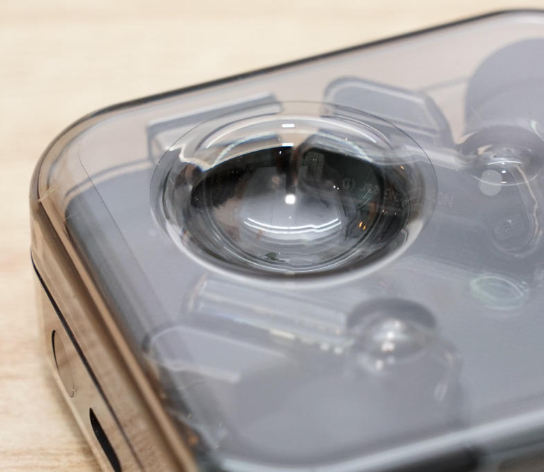
Lub voj voj voog nyob rau saum lub hau ntawm lub rooj them nyiaj zoo li ripples tshwm sim los ntawm ib qho khoom hnyav poob rau hauv dej los ntawm sab.

Sab nraub qaum ntawm lub thawv them nyiaj yog tsim los nrog Type-C interface rau kev them nyiaj thiab Bluetooth txuas tus yuam sij rau kev ua khub.
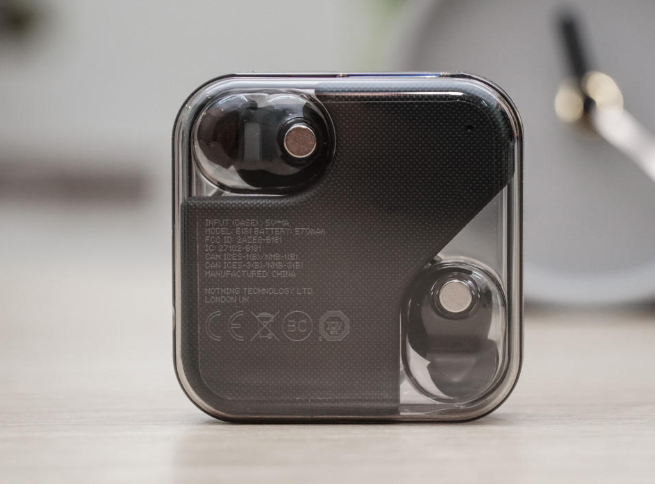
Cov ntaub ntawv them nqi ntawm cov khoom nyob hauv qab ntawm lub thawv them nyiaj yog ua raws li cov lus piav qhia ntawm lub thawv ntim khoom. Hauv qab, koj tuaj yeem pom cov hlau nplaum uas adsorb lub pob ntseg. Cov hlau nplaum yog symmetrically faib, thaum lub tais dub yog ib qho kev tsis sib xws, tsim cov duab geometric staggered pom. Ib qho kev paub uas tsis muaj qhov xaus.
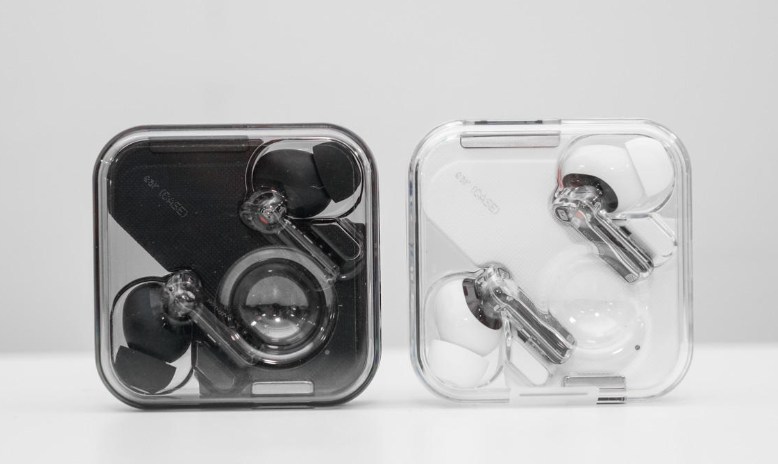
Tsis muaj dab tsi pob ntseg (1) cov xim dub thiab dawb sib piv, xim dub yog qhov siab thiab qis-qhov tseem ceeb, dawb yog ntau cov ceramic zoo nkauj, ob leeg muaj lawv tus yam ntxwv.

Qhib lub hau npog sab saum toj ntawm lub thawv them nyiaj, thiab Tsis muaj dab tsi pob ntseg (1) lub pob ntseg ib zaug ntxiv ua txhaum txoj cai ntawm lub pob ntseg pob ntseg. Lub pob ntseg tau nthuav tawm ntawm lub mloog pob ntseg cockpit hauv thaj chaw loj, thiab kev faib tawm zoo ib yam li npauj npaim tis ua rau tib neeg muaj kev kaj siab.

Ib qho kev nthuav dav ntawm cov hlau hu rau kev them nyiaj ntawm lub pob ntseg, teeb tsa ntawm pob tshab veneer.

Tshem lub pob ntseg, thiab cov hlau nplaum ntawm lub thawv them nyiaj sib txuas rau sab laug thiab sab pob ntseg kuj sib txawv. Lub pob ntseg sab laug yog nyiaj thiab pob ntseg sab xis yog liab.
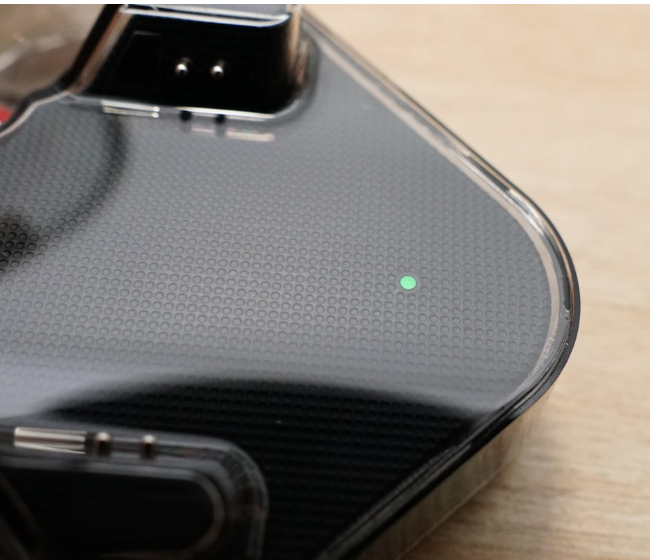
Kuj tseem muaj lub teeb qhia uas qhia txog kev ua haujlwm ntawm lub thawv them nyiaj muab zais rau hauv qab sab xis ntawm lub thawv them nyiaj.

Tsis muaj dab tsi pob ntseg (1) Txheej txheem cej luam ntawm tag nrho cov tsos. Lub mloog pob ntseg txais yuav tus kov-zoo li hauv pob ntseg tsim. Muaj lub cim dawb nyob rau sab saum toj ntawm lub mloog pob ntseg, uas yooj yim rau cov neeg siv kom paub qhov txawv ntawm pob ntseg sab laug thiab sab xis. Lub pob ntseg sab xis muaj lub cim liab. Lub pob ntseg tuav lub plhaub tau txais lub plhaub pob tshab tsim, los ntawm qhov peb tuaj yeem pom ncaj qha rau lub rooj tsav xwm Circuit Court, MEMS microphone, kov thaj thiab lwm yam khoom ntawm lub mloog pob ntseg.
Qhov tseem ceeb tshaj plaws yog tsis muaj dab tsi pob ntseg (1) tsis yog ib qho kev ua haujlwm zoo los ntawm kev ua lub plhaub pob tshab. Txhawm rau kom phim lub ntsiab xim dub, lub rooj tsav xwm hauv Circuit Court, kov thaj ua rau thaj thiab txawm tias cov khoom hauv lub mloog pob ntseg siv ntau li ntau tau. Dub series, txhim kho qhov pom kev sib koom ua ke ntawm cov khoom.
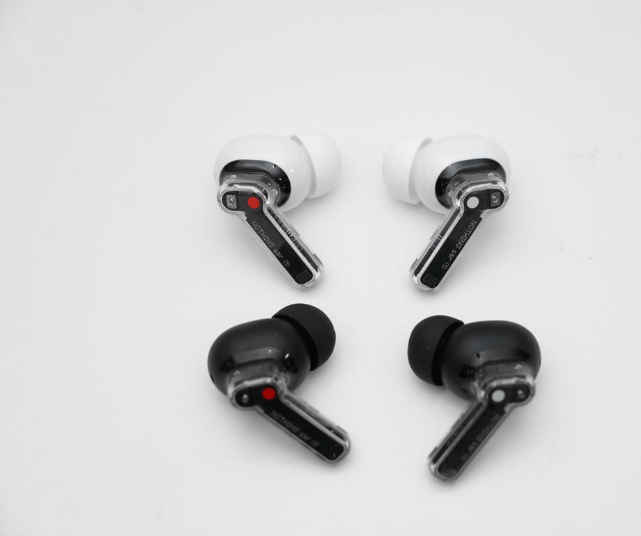
Tsis muaj dab tsi pob ntseg (1) dub thiab dawb pob ntseg sib piv, ob qho tib si xim zoo nkauj tshwj xeeb.
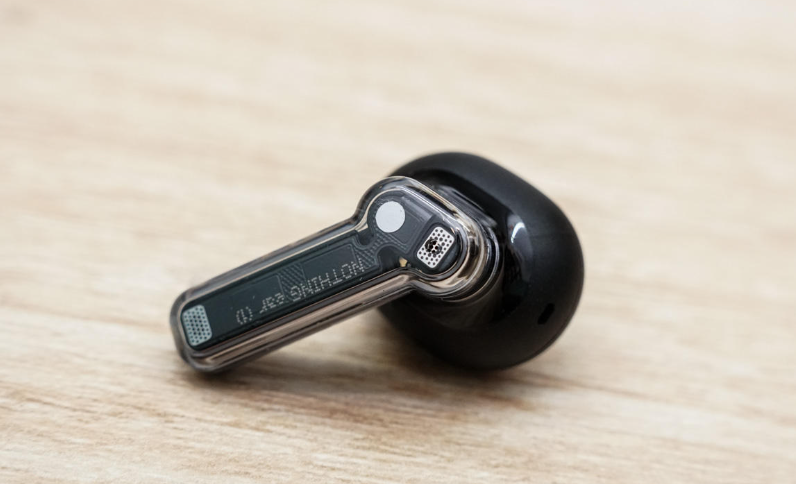
Sab nraub qaum ntawm pob ntseg pob ntseg yog nyob ib sab, lub plhaub tau luam tawm nrog cov khoom npe "NOTHING pob ntseg (1)", thiab sab hauv yog dai kom zoo nkauj nrog cov xim dub xim sib txuam ua pob zoo nkauj zoo ib yam nrog lub thawv them nyiaj, uas ua rau muaj kev nce ntxiv. txheej ntawm lub pob ntseg. Ob daim hlau hlau nyob rau sab saum toj thiab hauv qab ntawm lub mloog pob ntseg yog cov ntawv tiv thaiv rau lub suab nrov-tso tawm lub microphone thiab khaws lub microphone ntawm lub mloog pob ntseg.
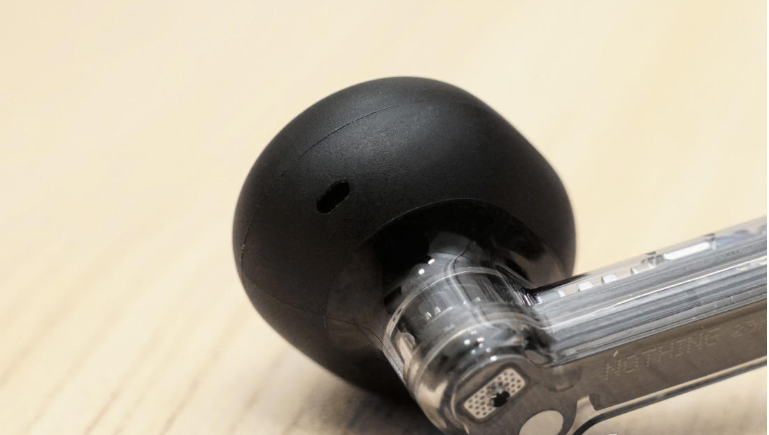
Tag nrho lub suab kab noj hniav ntawm lub pob ntseg yog qhov loj, thiab muaj lub siab nyem qhov nyob rau sab ntawm lub pob ntseg lub taub hau, uas yog siv los sib npaug ntawm cov huab cua sab hauv thiab sab nraud ntawm lub pob ntseg thiab txhim kho lub suab nrov ntawm lub pob ntseg.
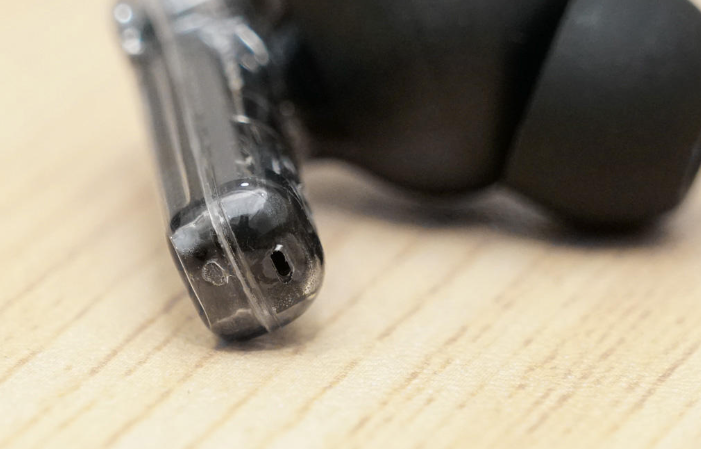
Lub kaw lus ntawm lub microphone tseem ceeb qhib rau hauv qab ntawm lub mloog pob ntseg yog siv rau lub suab / hu tuaj ntawm lub mloog pob ntseg.
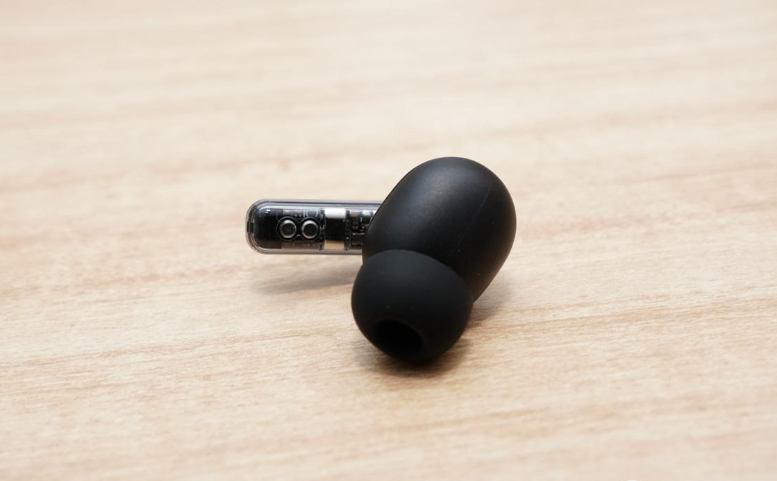
Lub rooj tsav xwm hluav taws xob ntawm lub pob ntseg tuaj yeem pom ncaj qha rau sab hauv ntawm lub mloog pob ntseg, thiab muaj cov hlau sib tiv tauj rau them lub mloog pob ntseg ntawm lub mloog pob ntseg.
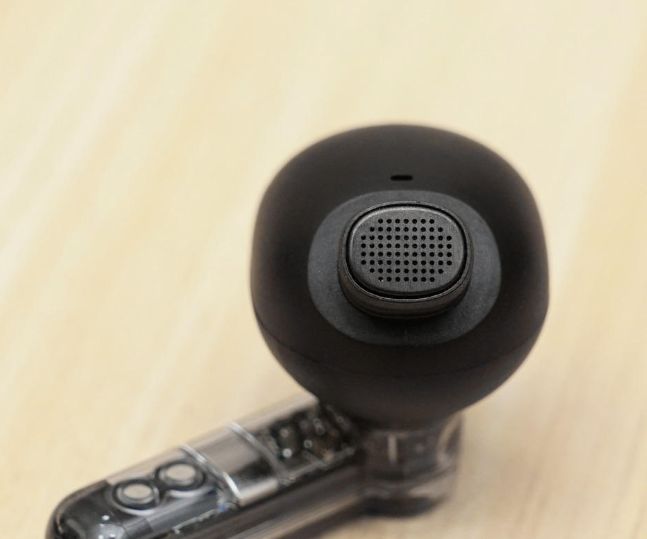
Tshem lub hau ntawm lub mloog pob ntseg, lub taub hau lub suab lub qhov muaj lub ntsej muag zoo li lub suab, uas tuaj yeem xa suab ntau dua thiab txhim kho cov ntaub ntawv ntawm lub suab. Kuj tseem muaj cov plua plav pov thawj zoo ntawm lub suab lub qhov ncauj kom tiv thaiv cov khoom txawv teb chaws los ntawm kev nkag mus rau sab hauv lub mloog pob ntseg suab kab noj hniav.
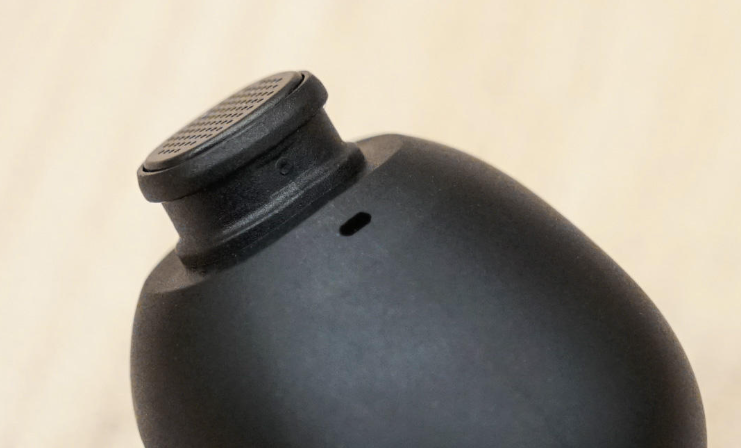
Qhov ze ntawm qhov qhib lub microphone nyob ze ntawm lub qhov hluav taws xob ntawm lub pob ntseg, uas ua haujlwm nrog lub suab nrov tshem tawm lub microphone nyob rau sab saum toj ntawm lub mloog pob ntseg kom paub txog lub suab nrov dual-mic ANC txo cov haujlwm.
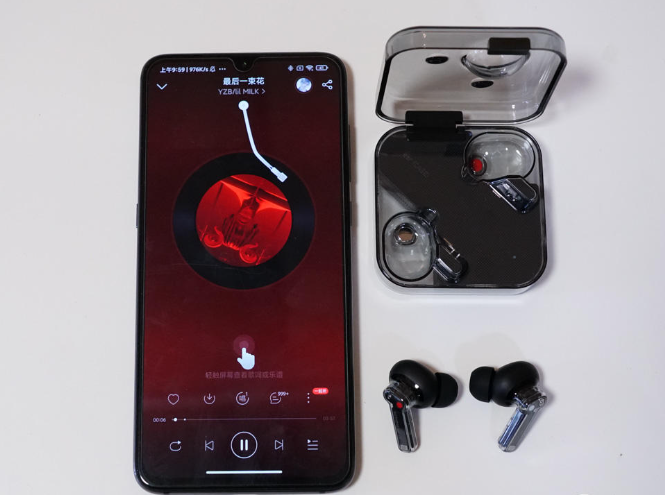
Hais txog kev hu xov tooj, Tsis muaj dab tsi pob ntseg (1) muab kev paub hu ua ultra-high-txhais lus hauv kev siv txhua hnub los ntawm kev koom tes ntawm rau ob sab microphones thiab Clear Voice technology. Peb siv lub decibel tester los ntsuas qhov chaw sab nraud ntawm 58dB. pob ntseg (1) Thaum lub sijhawm hu, ob tog koom nrog hauv kev hu tuaj yeem hnov txog lwm tus lub suab.